
Fake bank app for videos: a fictional bank, filmed honestly
Updated · By Larpea
A fake bank app for videos is a phone screen that behaves like a neobank, for skits, demos and ads. Make the bank fictional: an invented name, an original mark, no copied layout, a mockup label on every screen. This guide, part of the card wallet mockups category, covers eight steps and where a mockup becomes a problem.
Why film a bank app that is not a bank
A bank app mockup is a phone screen that behaves like a neobank: a balance, accounts, savings pots, cards, a spending breakdown. It exists for three jobs: the skit about a first paycheque, the fintech pitch or ad that needs convincing screens before the product exists, and B-roll for a video about money. For the whole category, see card and bank mockups compared. This guide is about doing it well and doing it without borrowing a real bank’s identity.
Revolarp is the app behind the steps below. It costs $19, cancel anytime, it is free to try with one account and one pot, and it is a mockup: no bank is linked, and the app never shows an account number, a routing or sort code or a full card number.
What makes a bank fictional enough
A fictional bank is not a real bank with a letter changed. Four things separate the two, and they apply whether you use our app or design your own concept in a design tool.
- An invented name. Search the name before you commit. If it already belongs to a bank, a payments firm or a well-known fintech anywhere you plan to post, choose another. In our app the bank is called Larpea Bank and its name is fixed on purpose: nobody can type a real bank’s name into it.
- An original mark and palette. One accent colour, one neutral and a simple symbol is enough. If a stranger could mistake your symbol for an existing bank’s in a thumbnail, redraw it.
- No borrowed layout details. Real banks have signature screens. Do not rebuild one tile by tile. A balance card on top, accounts below and pots under that is how most neobanks lay out a home screen, so you can follow the pattern without copying anyone.
- A mark that says what it is. A permanent “mockup” label on every screen is what separates a prop from a lure. It is the one setting we took away: it cannot be turned off, even in the paid version.
The same discipline applies to demo data for a real product. If you are building something and need credible screens before you have users, mylarpwallet.com explains how to use fake data in a product demo and how to make screenshots before you have users; both are the right place for that question, so we do not repeat them.
Build and film it: eight steps
The steps follow the order of the Bank studio. Set the data first, then the animation, then the camera.
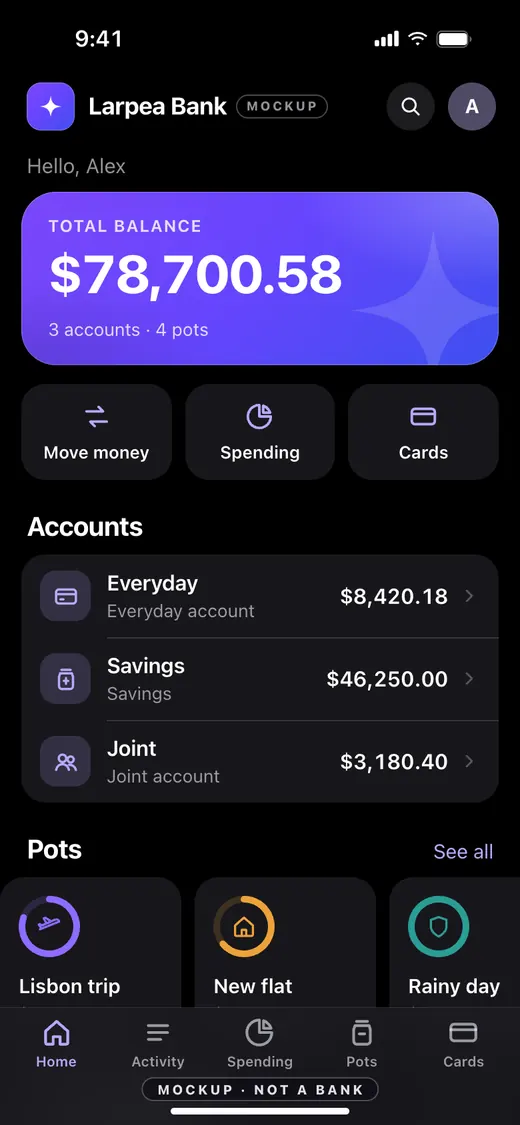
- Pick the look. Open the Bank studio in Revolarp and choose a display style and Dark or Light. Dark photographs better on a phone screen; Light suits a banking-for-grown-ups story. Type the first name used in “Hello, …”, and choose US dollar, Euro or Pound sterling.
- Add two or three accounts. Under Accounts & pots, add an everyday account, a savings account and, if the story needs it, a joint one, each with a balance you choose. The full version takes up to 8 accounts; the free version takes 1. The app never asks for an account number, a routing or sort code or an IBAN, and long numbers typed into a name are masked.
- Add pots with goals. Pots are the small saving buckets under the accounts. Give each a name, an icon, a colour, an amount saved and a goal, such as a trip or a deposit. They make the home screen look lived in.
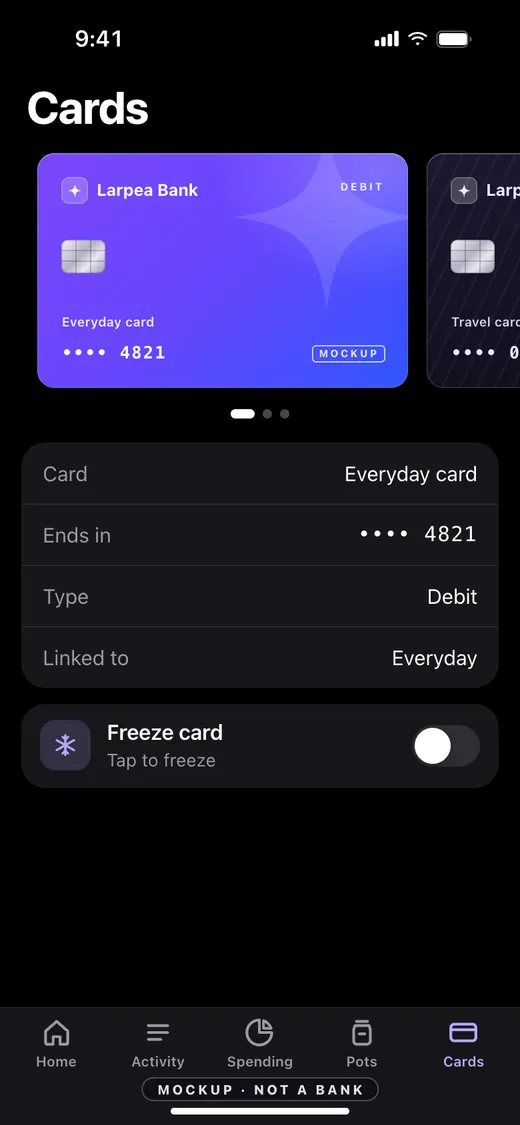
- Set the cards. Add a debit or virtual card, set the last four digits and link it to an account. The rest is dots, everywhere. Use Frozen on one card if the scene needs the tap-to-freeze moment.
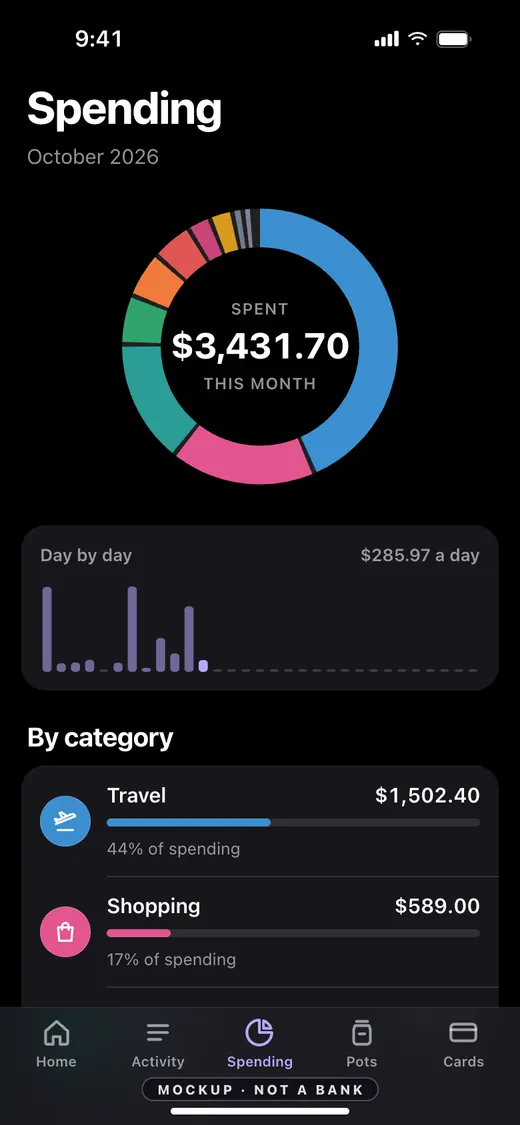
- Write a month of spending. Add transactions with made-up merchants, a category, an account and a date and time. Mark one or two as Pending. The Spending tab turns them into the donut and the day-by-day bars, so the numbers must add up: the app does the arithmetic if you only type amounts.
- Choose a balance animation. Under Balance animation, switch on Interest ticks up with an amount per hour, or Cashback arrives on its own every few seconds. Press Cashback now to land one on cue. Nothing is saved: the extra resets when the page reloads, so a retake always starts clean.
- Set the wallpaper and the status bar. Add a wallpaper if you want one, and leave “Use the phone’s own status bar” on when the app runs from your home screen. A fixed clock keeps retakes consistent.
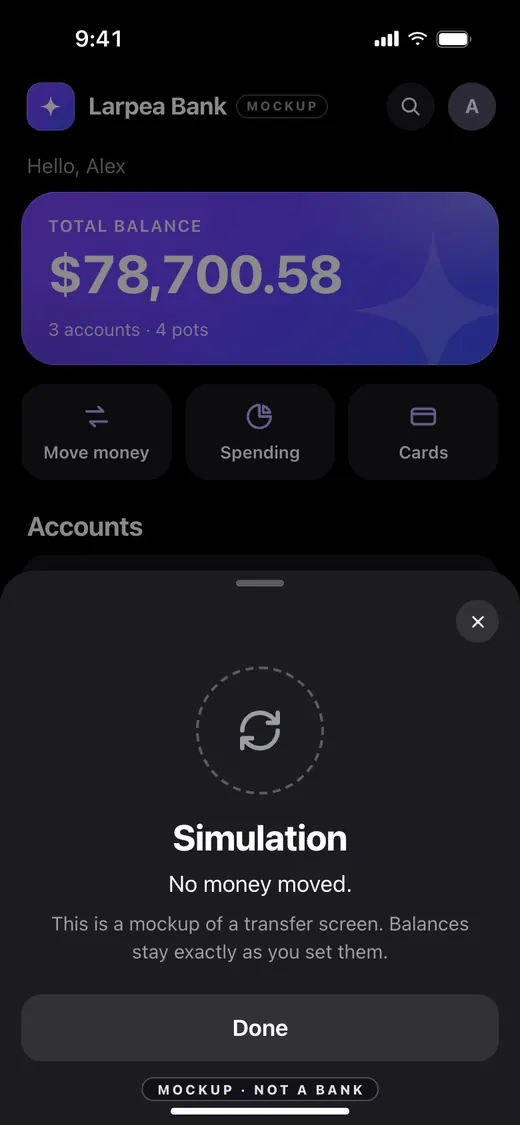
- Film, and leave the mark in frame. In phone mode, press C for cashback, M for the move-money sheet and 1 to 5 for the tabs. The sheet says Simulation: no money moved. The “Mockup · not a bank” mark sits on every screen. The free version always shows it; an owner can hide it in Settings (Show the Mockup label), and we recommend keeping it in the frame.
The four screens that carry a bank clip
Most bank videos use four screens. Here they are in the app, so you can plan the cuts.
Making the numbers tell a story
Viewers read a bank screen in a second and a half. Give them a story in that time.
- One round figure, never two. A total with cents reads as real; a savings pot at an exact goal reads as satisfying. Keep it to one of each.
- A visible category. In the spending donut, make one category obviously the largest. The eye lands on it, and your voice-over has something to say.
- One pending item. A single “Pending” row makes the list feel live.
- Cashback on cue. A small amount that lands as you speak is the cheapest way to add motion.
Do not make the numbers large to impress. A believable account balance is a more useful prop than an outrageous one, and an outrageous one invites the wrong comment under the video.
Card wallet mockups: no network logo, and how to light a card
A bank clip rarely stands alone: the natural cut is to the card stack and the tap to pay. Real cards carry the mark of a payment network, and those marks are registered trademarks that the networks control. Both major networks publish brand standards for how their marks appear on real card art, written for the banks and programme partners that issue the cards: see Visa’s digital card brand standards and the Mastercard Brand Center. A mockup is not a licensed programme, so putting one of those marks on it is a trademark problem you create for yourself, and it makes the clip look like a real card used to pay. My Larp Cards draws its own network marks, keeps four digits and never a full number, and charges nothing when a card is tapped; the directory page for the category is card wallet mockups compared.
Viewers do not read the mark. They read the shape, the weight, the finish and the way a card moves, so the work goes into the finish. Pick one hero card and keep the rest of the stack quieter: a gold card in front of two dark ones looks like a wallet, a stack of loud finishes looks like a toy shelf.
| Finish | What it reads as | Lighting habit |
|---|---|---|
| Black metal | Dark, matte, almost no highlights | A soft light from the side, so the edge picks up a thin line |
| Brushed titanium | Cool grey with a fine grain | A wide, soft source; harsh light turns the grain to noise |
| Gold | Warm, the classic status card | Keep the white balance warm and the light low, or it reads yellow |
| Rose gold | Softer, more fashion than finance | Works in daylight by a window; avoid blue LED rooms |
| Holographic | Shifts colour as it moves | Tilt the phone slowly: the shift is the shot |
| Midnight | Deep blue, plain, serious | Needs a little rim light, otherwise it vanishes against a dark wallpaper |
Never type a card number that exists, even your own, and do not show a balance or a purchase on a card mockup to a seller, a landlord or a lender: that is the part that becomes fraud. If you are on the other side, trying to tell whether a payment image is real, the checks are in how to spot a fake payment screenshot.
Where a bank screen becomes a problem
A bank mockup becomes a problem the moment someone is asked to rely on it. A balance sent to a landlord, a screen shown to a lender, a clip used to reassure a buyer: that is the point where it stops being a prop. The legal side is in the legal consequences of faking bank paperwork, with the text of the laws by jurisdiction. If you are looking at a bank screen or a payment image someone sent you, start with how to spot a fake bank statement, how to spot a fake bank balance screenshot or how to spot a fake payment screenshot.
Our own rules are short. Every screen carries the mark. There is no export of transaction files or account details: you can export only the display settings. And the terms forbid showing any of it to deceive a person or a business.
What to pair it with
A bank clip rarely stands alone. The natural neighbours are the card stack in the section above, which gives you the tap to pay shot, a lock screen of sales notifications for a payout landing, and ecom larping, explained for the revenue dashboard that goes with them. Use the same invented first name and the same wallpaper across all three.
Questions
What is a fake bank app for videos?
Can I use a real bank’s name or colours in a mockup?
How do I make a fictional neobank for a pitch or an ad?
Can the mockup label be removed?
Is it legal to film a bank app mockup?
How much does a bank app mockup cost?
Keep reading
- Fake sales notificationsA payout landing on a lock screen.
- How to spot a fake bank statementTwelve checks, and eight signs of a doctored balance screenshot.
- Fake bank statement consequencesWhere a mockup becomes fraud.
- How to spot a fake payment screenshotThe check for a seller.
- Larp RevolutA neobank screen of a fictional bank, to film.
- Larp cardOriginal card designs and a wallet stack, to film.
- Larp tools directoryEvery larp app we checked, dated.