
Fake bank balance screenshot: 8 signs and how to check a balance
Updated · By Larpea
To check a bank balance screenshot, look for a frozen clock, mismatched fonts, odd number formatting and a balance its own transactions cannot explain, then ask for a statement or letter the bank itself confirms. An image alone proves nothing about ownership or available funds. Eight signs follow, with the four kinds of balance screenshot and their tells.
How to tell in 60 seconds. Ask for the next screen and a statement. A balance image is a number someone chose to show. The full method sits in how to spot a larp.
What a balance screenshot can and cannot tell you
A balance image says one thing: the owner pressed a button and showed you a number. It tells you nothing about where the money came from, whether it is spendable or whether the account is theirs. A statement has more to check, and a payment screenshot at least refers to a movement you can search for.
| A balance screenshot can show | It cannot prove |
|---|---|
| The number the owner chose to show, at one moment | That the number is real, current or available to spend |
| A time and device state, if you read them closely | That the screen was captured when it says |
| Which accounts the app lists | That the person controls those accounts |
| The look of one app | That the app is the real one, and not a copy |
What our mockup looks like, and why it is labelled
Larpea makes a neobank mockup, Revolarp, and its terms are blunt: it is a prop for scenes, never to be used as proof of funds, income or payment, for a loan, a rental or a visa. A “Mockup · not a bank” label sits at the bottom of every screen by default, and the free version cannot hide it; only the full version has a setting to switch it off. That is the standard a prop should start from: a screen that carries its own label. If you see a bank-style screen with no label and a request attached to it, treat it as a claim and go to the checks below.
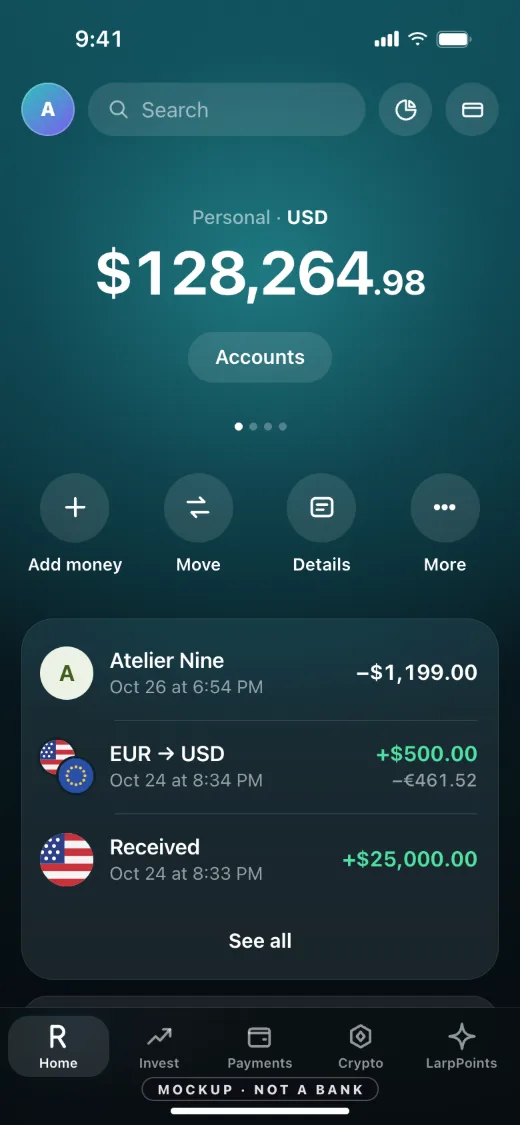
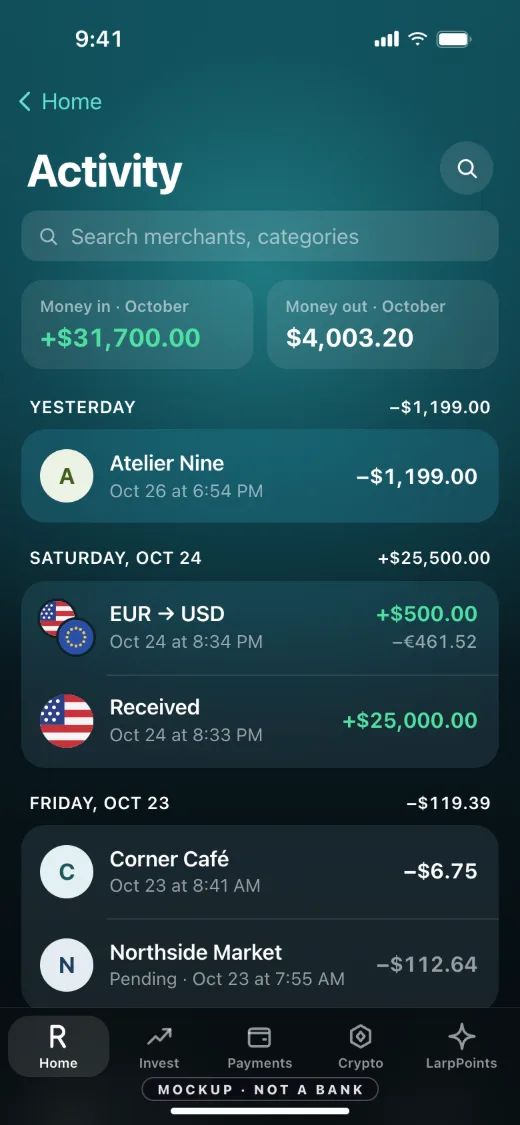
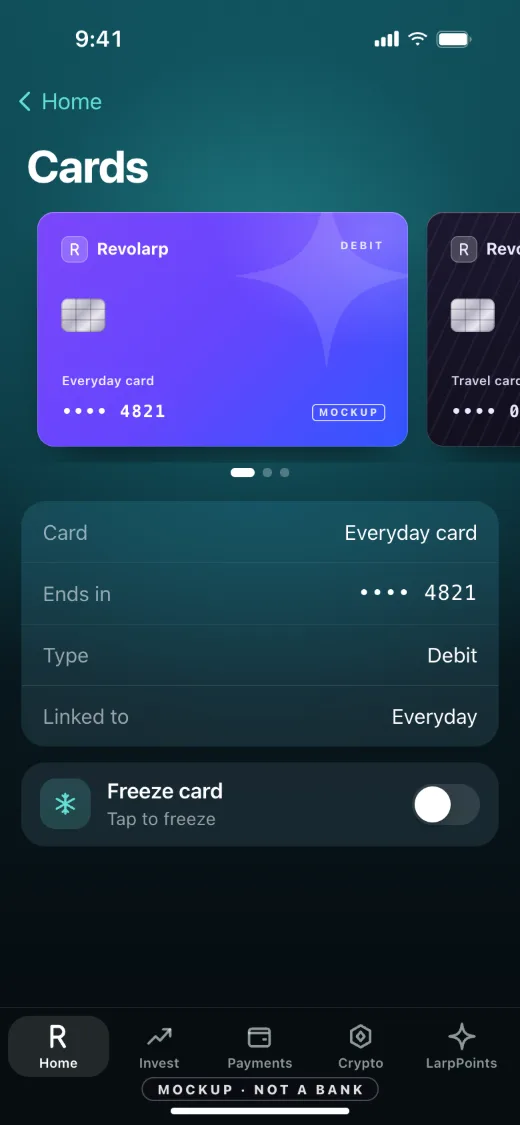
Look at what the three screens give you that a lone balance image does not: a list of activity that adds up to the figure, a pending item, a month total, and a second and third screen to open. Those are the follow-ups a composed image cannot answer.
Eight signs of a doctored balance screenshot
One sign is a question; two together are a reason to stop and ask for the source.
- The time and the battery freeze. Why it matters: In a set of images from different days, the same clock, the same battery level and the same signal bars suggest one source image reused. Real phones change by the hour.
- The fonts or icon weights differ inside one screen. Why it matters: A changed figure is retyped, so one number can sit in a slightly different weight, size or baseline than the rest. Zoom in on the digits and the currency sign.
- Thousands separators and decimals are off. Why it matters: Each app formats numbers one way. A balance that uses a different separator, drops a trailing zero or misaligns the decimal against the other rows does not match the app it claims to be.
- The balance does not match the activity beneath it. Why it matters: A recent list of transactions has to arithmetically explain the figure at the top. If a large balance sits above a short list of tiny payments, the screen has no history behind it.
- The state is missing. Why it matters: Real apps show pending items, available versus current balance, a last-updated time and an account label. A crisp single number with none of these has been trimmed.
- Dark mode, language or layout differ from the same app on your phone. Why it matters: Open the genuine app, or its public store screenshots, and compare the order of sections, the tab bar and the wording. A look-alike gets small things wrong.
- There is no way to scroll. Why it matters: Ask for the next screen: the account details, a statement or a transaction. A composed image has no "next" and cannot answer a follow-up.
- The image is the only evidence offered. Why it matters: A balance proves nothing about ownership, source or availability. A person with the money can usually show an account link, a bank letter or a statement in a minute.
Which balance screenshot are you looking at?
Most balance screenshots people search for fall into four kinds. Each has its own tell and its own question to ask.
| The screenshot | Where it usually appears | The tell to check first | What to ask for |
|---|---|---|---|
| A big balance, five or more figures | Flex posts, investment pitches, rental or deal talks | Round numbers and a transaction list too small to explain the total | A statement or a letter from the bank |
| A low, zero or negative balance | Memes and broke jokes; sometimes a plea for money or a refund | The same font and formatting checks: a sad number is as easy to type as a big one | The same: a statement explains a negative figure, an image does not |
| A balance from a bank in another country | Sellers, landlords or partners abroad | Number format: Indian apps commonly group rupees in lakhs (1,00,000), and a UK app shows the pound sign before the figure | Compare with the genuine app or its official store pictures |
| A balance plus a payment | A buyer saying they paid you | The money is in your account or it is not | How to spot a fake payment screenshot |
A low or negative balance proves no more than a big one. Whatever the number, the screenshot is a picture of a screen, and the check is the same.
What to ask for instead
Ask for something that carries its own verification: a statement shared from online banking, a letter issued by the bank, or a read-only account check through the service the other side already uses. If you need to see funds for a purchase, pay into escrow or through a solicitor or agent, so the funds are checked by the party whose job it is. The guides on proof of funds and on fake bank statement consequences explain who actually asks for what.
If you are the one asked for proof
Offer a genuine statement or a bank letter rather than a screenshot, and say what you have hidden and why. If you made a screen for a video, say so in the video and in the caption, and do not send it to anyone as evidence. Our bank app mockup guide covers how to film one honestly.
Need a balance screen for a skit or a joke?
Some searches for a fake bank balance are for a payday skit or a broke-versus-rich meme. For that, film a mockup that says it is one instead of editing a real bank's screen. Revolarp, the mockup shown above, lets you type the balance, the merchants and the amounts for a bank that does not exist. It costs $19 a month, cancel anytime, and you can try Revolarp free. It has no account numbers, statements or receipts, and its terms forbid showing it to anyone as proof. A joke stays a joke only while everyone watching knows it is one.
If you have been scammed
If you lent, sold or invested because of a balance image, stop transfers, tell your bank, and keep the original image and chat. Report it using the service for your country.
| Country | Where to report | What it takes | Confirmed on |
|---|---|---|---|
| United States | ReportFraud.ftc.gov (Federal Trade Commission) | Scams and fraud of any kind. | |
| United States | IC3 (FBI Internet Crime Complaint Center) | Cyber-enabled crime, including crypto theft. | |
| United Kingdom | Report Fraud (City of London Police) | England, Wales, Northern Ireland; Scotland: call 101. | |
| Canada | Canadian Anti-Fraud Centre, online reporting system | Online, anonymously if you wish; also tell local police. | |
| Australia | Scamwatch (National Anti-Scam Centre, ACCC) | Scams reported by the public; it does not recover money. | |
| Australia | ReportCyber (Australian Signals Directorate) | Cybercrime and hacked accounts. |