
Fake camera recording screen, red dot included
Updated · By Larpea
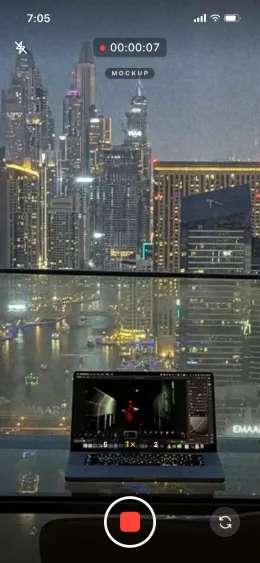
A fake camera recording screen shows a phone filming, red dot and timer included, while it actually plays a clip you chose. Larpcam draws that camera screen in our own design on your phone, with zoom and a front and back clip. It is free to try, then $9, cancel anytime. It records nothing and is not your phone's camera.
Opens in your browser, no account. Full version $9 a month, cancel anytime. What the full version adds
Part of the fake dashboard generator hub. Original design, no phone maker's camera interface copied.
The recording screen, without recording
A fake camera recording screen is the moment in a skit where someone films “live”: the red record button, the timer counting up, the viewfinder pointed at a sunset that is not there. Larpcam draws that camera screen in a design of our own and plays the clip you chose inside it, so the phone looks like it is recording somewhere else.
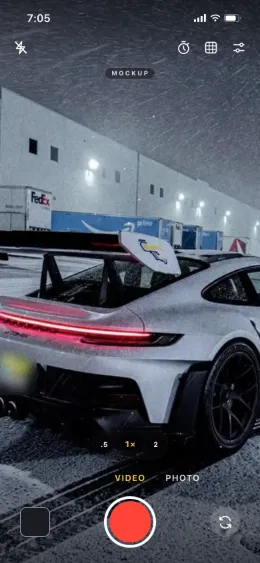
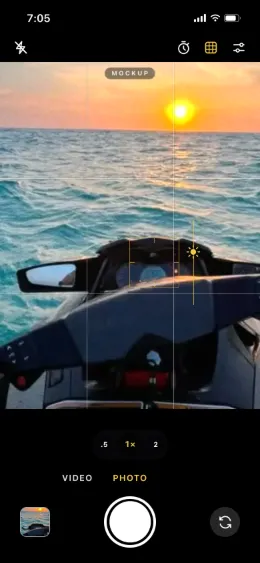
It is the same app as the fake camera app page, used for one shot: video mode, with the timer and the red dot. Photo mode, with the grid and focus, is the other screen it draws.
Video mode, photo mode, your clips
Film it in five steps
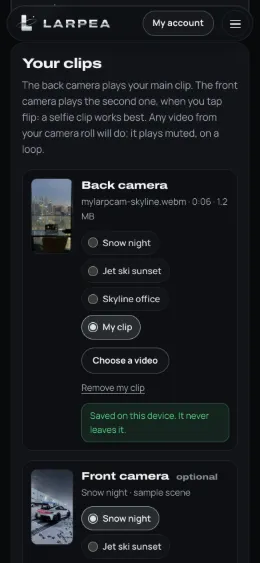
- Choose the clip. Any video your browser plays: MOV or MP4 from an iPhone, MP4 from Android. A vertical clip filmed with a back camera looks the most natural.
- Load it as the back camera. Add a second clip as the front camera if the scene flips to a selfie. The free version starts with three real-photo sample scenes instead.
- Switch to video mode. The shutter turns red and the timer starts ticking, with the red dot, the way a camera app records.
- Zoom or flip on cue. Pinch, tap the zoom or flip between your two clips while the take runs.
- Film the phone with another camera. Larpcam records nothing itself. Film the phone over your shoulder, or use the phone's own screen recording.
The free version stops takes at 30 seconds and keeps the mockup label on. The full version, $9, adds your own clips, takes without a time limit, the choice to hide the label and the home-screen app that opens straight into the camera.
POV formats it fits
“POV: you said you were at the library”, with the viewfinder showing a jet ski at sunset. The friend who films a skyline from an office they do not work in. The travel vlog that flips to the front camera at the wrong moment. In each, the joke is that the camera screen lies, which is why the clip should be your own footage or footage you have the right to use, and why the caption should say it is a skit.
What it is not
It is not your phone's camera and cannot become one: it cannot act as a webcam, feed a video call, pass an identity or liveness check, or send a clip to a messaging app as a live capture. Clips stay on your device and are never uploaded. Use it for POV jokes, “guess where I am” skits and travel-vlog parodies, labelled as such, and never as an alibi or as footage someone relies on.
Other scenes from the same hub: larp Apple Pay and the fake TikTok follower count. For a whole travel reel, read a travel reel without travelling.
Ready to fake the recording? Larpcam opens in your browser with sample scenes; switch to video mode and the red dot starts.
Try Larpcam free, no cardOpens in your browser, no account. Full version $9 a month, cancel anytime. What the full version adds