
Fake vacation photos with AI: apps, prices and how to label them
Updated · By Larpea
Fake vacation photos, or AI travel photos, put you in a travel scene from a selfie and a sentence. We checked four apps, from $3.99 a pack to $19 a month; ours labels every result as AI. This guide, part of the AI photo prompts hub, compares them as of 18 October 2026 and shows how to label them.
How fake vacation photos with AI work
You give an AI image tool a photo of yourself and a description of a place, and it returns you in that place. Some tools work from one selfie and a sentence. Others train a small model on a dozen photos first. The result is a picture of you somewhere you were not. The tools themselves are compared in AI flex photo apps.
The format went mainstream in October 2025. TechCrunch reported on 18 October 2025 on an iPhone app that fakes summer holiday photos, and PetaPixel covered it on 22 October 2025 with a more worried tone. Since then, travel presets have turned up in several photo editors. What has not changed is the basic bargain: the picture is a prop, and its honesty depends on how you present it.
Apps and prices, as we checked them
Four tools that make travel-style photos, with the price each one states. Prices change often and some sources are dated, so the date of each reading is in the table.
Checked on .
| Tool | What it does for travel photos | Price | Source |
|---|---|---|---|
| Endless Summer (iPhone) | Places you in travel scenes from a selfie, using Google’s Nano Banana image model; the first six images are free | $3.99 for 30 images, $17.99 for 150, $34.99 for 300 (as reported on 18 October 2025) | TechCrunch, 18 October 2025 |
| Photo AI (web) | Trains a model on a set of your selfies, then generates you in any scene, travel included | Starter: $19 a month, or $9 a month billed annually at $99, with 50 AI credits a month | Photo AI pricing page |
| FlexClip (web) | An AI photo editor with 23 travel scenario presets, from one selfie | Not readable on our check: the pricing page loads its plans with JavaScript | FlexClip travel photo guide |
| My Larp Snap (web, iPhone) | Edits your own photo from one sentence; every result is marked as AI-generated | 1 free edit, then $9, $15 or $19 a month for 40, 80 or 120 edits, 4K included | Our store page |
Two things stand out. First, three of the four sell credits or subscriptions rather than one photo, so the cost of a single good picture depends on how many attempts you need. Second, ours writes the AI label into every result; for the other three, check what the tool does about labelling before you post, because the table does not claim to know. We say so because we make one of the four: judge the table on its sources.
Six scenes that hold up under a second look
Not every place is equally easy to generate well. These six hold up because they avoid the places AI images fail: hands, lettering, crowds and mismatched light.
- A beach at golden hour: Warm, low light is forgiving: shadows are long and soft, so a mismatch between you and the sand is hard to spot.
- A mountain trail: Wide, distant framing hides hands and faces, which is where AI images fail most.
- A rooftop at blue hour: A city skyline in the dusk hides detail in shadow, but check that the light on your face matches the sky.
- A café terrace: Keep signs and menus out of frame: lettering is the second place generated images give themselves away.
- A hotel balcony: A simple foreground and a long view suits a close crop of your upper body.
- An old-town street: Cobbles and façades read as real, but crowds do not: ask for an empty street.
Whichever you pick, ask the tool to keep your face, your clothes and the lighting direction, and look at the result at full size before you post it. A trip photo that fails a second look is worse than none.
Doing it in My Larp Snap
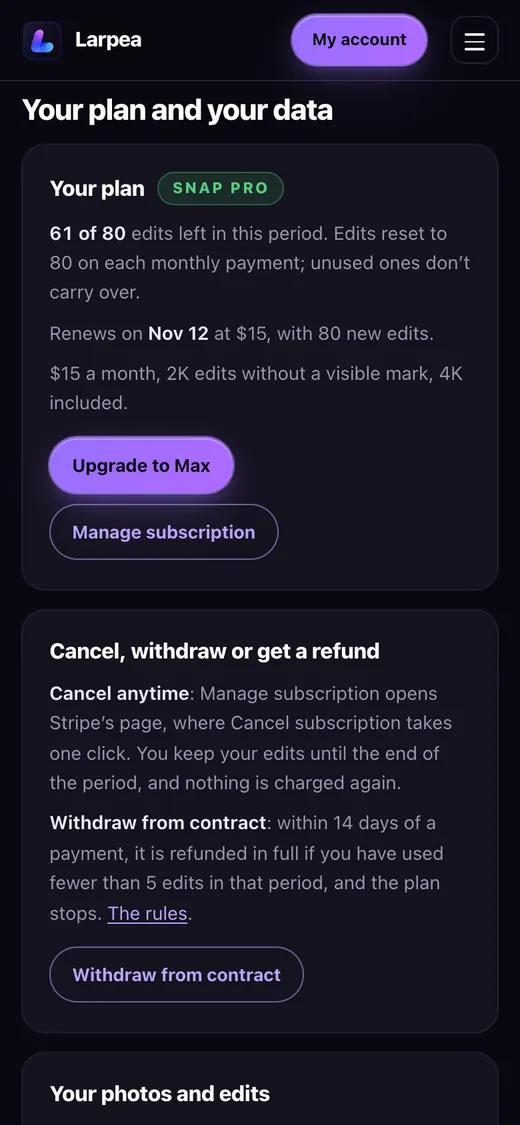
My Larp Snap edits a photo of you from one sentence. A prompt that works for a trip reads like this: “Put me on a quiet beach at golden hour, same face, same clothes, soft light from the left.” Upload a clear, well-lit photo of yourself, write the sentence, and the edit comes back in about thirty seconds. The first edit is free, with a visible AI mark. Paid plans are $9, $15 and $19 a month for 40, 80 or 120 edits, with 4K included.
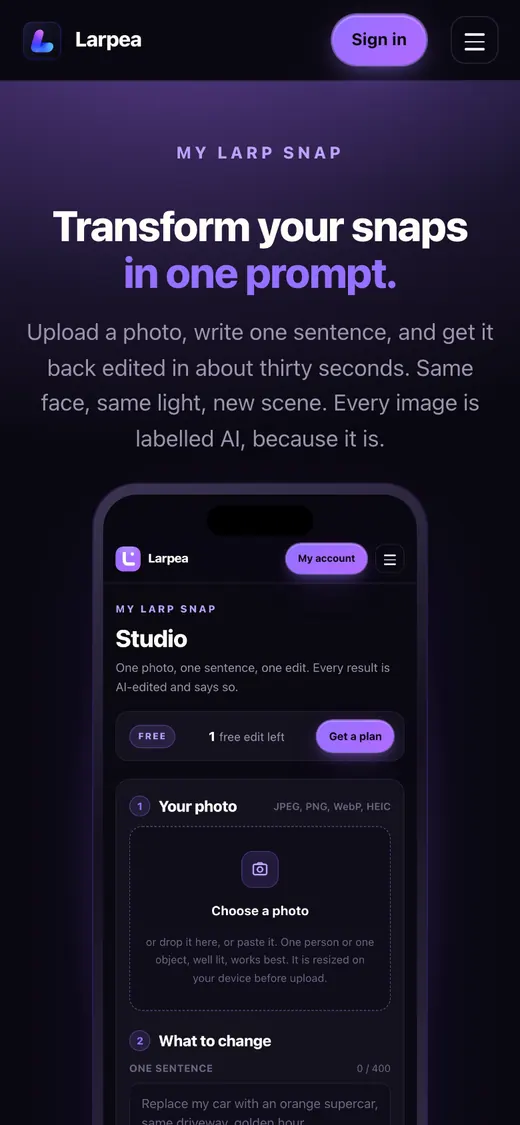
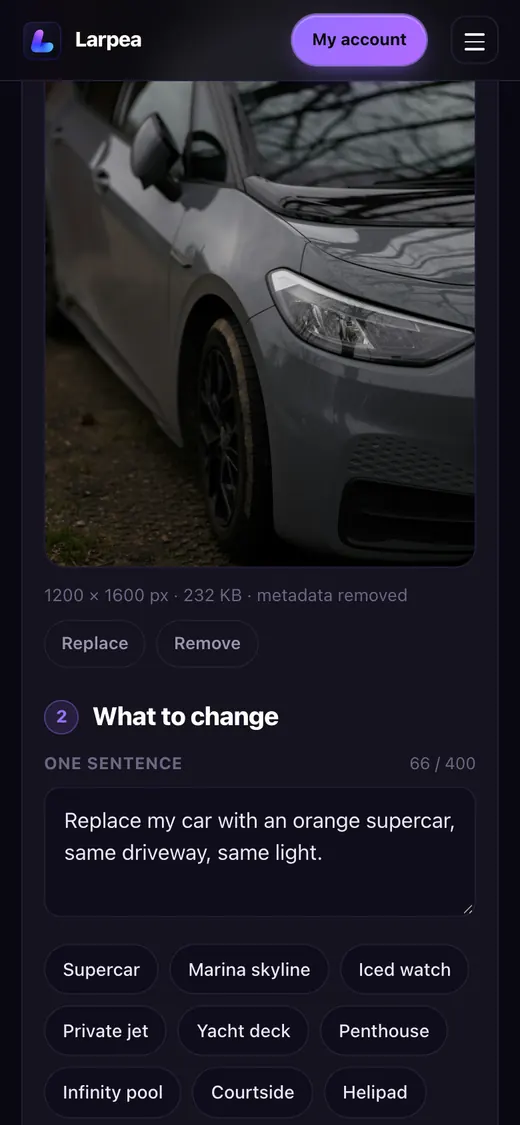
The studio refuses photos of real people without their consent, public figures and fake documents before an edit is spent, which is why you cannot use it to place someone else on a holiday they never took. For more scenes written as prompts, see car photo prompts, jet, yacht and travel prompts and the examples gallery.
Labelling: what platforms and the law expect
Most large platforms ask you to label realistic AI-generated images, and in the EU, Article 50 of the AI Act requires those who publish deepfakes to disclose that the content was artificially generated or manipulated, with lighter rules for evidently artistic or satirical work. The rules differ by platform and change often, so we keep a dated table of them in AI photo labels explained rather than repeat it here.
A practical rule is easier than the details: put “AI” in the caption, leave the watermark and the platform’s label on, and do not crop out the mark. A trip photo labelled as AI is a bit; the same photo unlabelled is a claim about where you were.
A travel reel without travelling
People make travel reels without travelling for two reasons: for a joke, and to look more travelled than they are. The first is a skit and the second is a claim. A reel that lets viewers think you are somewhere you are not, to sell something or to win their trust, is the problem; a reel that says “filmed at home” is a skit. It belongs with how to make a larp video.
| Method | What the viewer sees | Rights | Label to use |
|---|---|---|---|
| Licensed stock footage | A real place, filmed by someone else | Depends on the licence | Stock footage, filmed at home |
| AI-generated background | A scene that does not exist | Yours, if the tool allows | AI-generated image |
| A clip in a camera frame | A viewfinder playing a clip | Yours, if you filmed or licensed it | Skit. The beach is a clip. |
- Pick one method and do not mix them in the same shot.
- Write the joke first: the where-am-I call, the airport lounge in the kitchen, the beach that is a clip.
- Use only footage you are allowed to use: a stock licence you have read, a still generated from your own photo, or a clip you filmed.
- Film yourself in front of it in one outfit, with soft light and a still camera, and take three takes. The reaction shot carries the joke.
- Write the label into the frame (“Parody. Filmed at home.” or “AI-generated background.”) and make the first line of the caption honest.
Skip the location tag, or make it a joke: a tag naming a real city on a reel filmed at home tells people you were there, and some will take it at its word. If the joke needs a place name, put it in the label, as in “Filmed at home, set in Lisbon.” Never use the reel to promise a trip, a sale or a rental, never show a live-looking video to a person who is verifying where you are (how to tell if a travel photo is real shows what they look for), and never remove an AI label. The camera screen that plays a clip you load is Larpcam.
Where a fake holiday becomes a problem
A fake travel photo is harmless when everyone looking knows, or does not rely on it. It becomes a problem when someone does rely on it:
- a travel influencer deal or sponsorship that pays for a stay you did not have;
- a hotel, restaurant or tour review that other travellers read as first-hand;
- a claim to an insurer, an employer or an expense system that you were, or were not, somewhere;
- a relationship where the person is asked to trust the photo.
None of those is a joke, and none is a use we support. If you are on the other end and want to know whether a picture is generated, the checks are in how to spot an AI-generated photo.
The people who want to fake a holiday are mostly not scammers. They are tired, or short of money, or curious. The honest version of the format costs them nothing: say it is AI, post it anyway, and let the audience enjoy the joke.