
Video disclaimer examples: 40 mockup labels and 5 overlays
Updated · By Larpea
A label for a mockup video is sufficient when it is on screen from the first second, big enough to read on a phone and says what is staged: mockup, prop, skit or AI-generated. Here are 40 wordings for four formats and five PNG overlays, part of how to make a larp video.
What counts as a sufficient label
A label is sufficient when a person who sees only the video, not the caption, would still understand what is staged. That means four things: it is on screen, it is there from the first second, it is big enough to read on a phone at arm's length, and it says what is staged (mockup, prop, skit, AI-generated) rather than only "not real". A label in the caption alone, in a hashtag or in the last frame is not enough on its own. These wordings are part of how to make a larp video and fit the steps in how to make a reel look expensive.
Four formats, four jobs
| Format | Where it goes | Strength | Weakness |
|---|---|---|---|
| On-screen overlay | Inside the video, from the first second | Seen by everyone | Takes space in the frame |
| Caption | First line under the post | Searchable and quotable | Often not read |
| Pinned comment | The top comment | Catches people who scroll to comments | Can be unpinned or missed |
| Description | The long text field | Room for a full statement | Rarely read on short video |
Platforms also have their own labels for AI-generated content. Use them as well as, not instead of, your own label, and read the current rules before you post, because they change.
40 label wordings, by format
Ten wordings for each format. Each comes with a note on when to use it.
On-screen overlay (10)
MOCKUP. Numbers are made up.
Shortest form that still names the thing. Keep it on screen the whole clip.
Simulated screen. Not real data.
For dashboards and terminals. Say "simulated" rather than "demo".
Skit. Nothing on screen is real.
Fits a story with actors. Leave it up for the full scene.
Prop. Not the real thing.
For jewellery, watches, keys. Show it when the prop is on camera.
AI-generated image.
Use on every frame where the picture appears, not just the first.
Staged for a video. Props and mockups.
A broader tag when several fake things appear in one shot.
This balance is a mockup.
Put it near the number it describes, at readable size.
Fictional app. Fictional numbers.
For bank, wallet and shop screens of a fictional brand.
Parody. Not a real account.
For a skit about creators or analytics.
Scripted notifications. No store.
For lock-screen skits; place it at the top.
Caption (10)
Mockup, not a real balance.
Opening words matter most; many viewers read only the first line.
All numbers in this video are set by me for a skit.
Plain first-person caption that leaves no room for doubt.
A skit with props. No real money involved.
Short and friendly, readable in a feed preview.
Photo is AI-generated. Scene is not real.
For AI edits of your own photo; keep both sentences.
Prop jewellery, no brand, no claim.
For chain and watch shots.
Filmed at home with a mockup app.
Tells viewers where the "location" really is.
Simulated trading screen. Nobody traded anything.
For terminal clips; say it before the hashtags.
Fiction: a pretend business.
For a store or dashboard skit.
Props only. The cash is paper.
For make-it-rain clips with blank paper.
The numbers are a mockup. The jokes are mine.
A lighter tone that still states the fact.
Pinned comment (10)
Quick note: this is a mockup. I set every number.
Pinned comments catch the viewers who scroll to the comments first.
For anyone asking: the dashboard is a simulator.
Answer the question before it is asked.
Yes, it is a skit. The notifications were scripted.
Use after a few "is this real?" comments appear.
This chain is a prop. I will not pretend otherwise.
Short and direct for jewellery posts.
The scene is an AI-generated edit of my own photo.
For Snap results; name the tool if people ask.
Not my car, not my jet. Photographed on a set.
For borrowed or rented locations.
Mockup mark stays on the screen. Look for it.
Points viewers to the label inside the video.
Pretend app, pretend bank, real fun.
Casual tone for comedy accounts.
No funds, no trades, no exchange. A simulator.
For terminal clips.
Filmed for a demo. Fake data on purpose.
For product demos and decks.
Description (10)
This video features mockups and props. Screens show simulated numbers. They are not records of real money, views or sales.
A complete paragraph for the description field; it can be pasted as is.
All figures shown are fictional and set by the creator for entertainment.
Good under a skit that shows a dashboard or notification stack.
Images in this post were generated with an AI editing tool from my own photo and are marked as AI-generated.
For AI photo posts and reels.
Jewellery and accessories shown are props with no brand and no claim of value.
For prop and styling content.
The app in this video is a simulator: nothing was bought, sold or sent.
For trading and payment screens.
Filmed as a skit. Any resemblance to real income is accidental.
Playful, with the disclosure first.
Scripted scenes. Notifications are staged and do not reflect any real store.
For lock-screen skits.
This is a demo of a fictional product. Numbers are placeholders.
For product videos and landing page clips.
Clips shown are stock or AI-generated footage used under licence, not the places named in the caption.
For b-roll and travel edits.
No offers, no investments, no income claims. Entertainment only.
Use when a video could be mistaken for advice.
Five transparent overlays
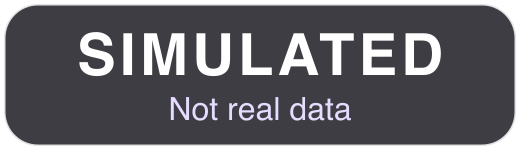
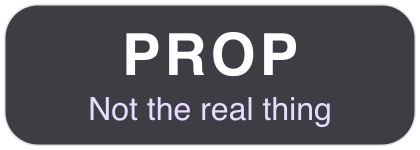
Drop these PNG files on top of your video in any editor. Each is 150 pixels tall on a transparent background, wide enough for a 1080-pixel-wide vertical video, and each carries its wording in white on a dark pill.
- MOCKUPNumbers on screen are set by meDownload mockup-bar.png
For: Dashboards, balances, lock screens - SIMULATEDNot real dataDownload simulated-corner.png
For: Trading and terminal screens - PROPNot the real thingDownload prop-tag.png
For: Jewellery, watches, keys - AI-GENERATEDImage edit, not a real sceneDownload ai-generated.png
For: AI photo edits and backgrounds - SKITNothing on screen is realDownload skit-banner.png
For: Any staged scene



What is not a label
- A tiny grey line that nobody can read at arm's length.
- A label that appears only in the last second.
- "#fyp" or "#larp" alone: a hashtag is a category, not a statement.
- A label that can be cropped out by a square crop of the video.
For AI-generated images, the rules of labelling by country are in how to label AI photos. If you are looking at someone else's post and want to judge it, how to tell if a flex photo is real describes the checks.